Recording Guitar Software: Audacity
Free DAW Audio Editor and Recorder
If you want to record your guitar and produce professional-grade recordings in your home studio, it's easy to spend a lot of money, either on top-of-the-line hardware or expensive software suites.
That doesn't mean, however, that you can't fake it if you're on a budget.
The first step is to install powerful and versatile Audacity . This is a great Era for the guitar players, as we have tons of great software for guitar at our own disposal.
Recording guitar
Of course, recording guitar is a lot easier with better tools. IK Multimedia's StealthPlug and iRig dongles, which range between $40 and $150 USD, allow you to plug your guitar directly into your computer, recording without an amp or microphone.
The sound quality is instantly cleaner, often eliminating the need for an initial noise reduction, and you'll have access to all the pedals and effects of the AmpliTube software that comes bundled with IK's hardware.
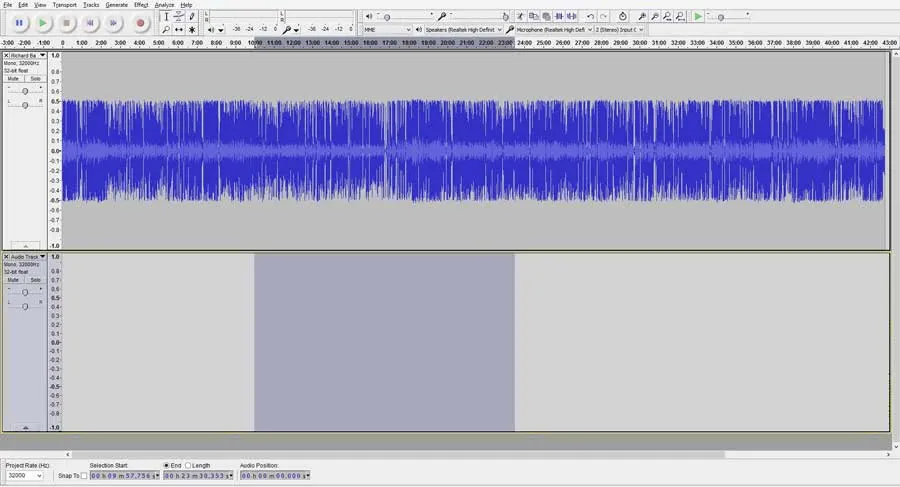
While you won't have to worry that the guy next door is mowing his lawn during your session, there might still be clicks and pops on your recording, depending on the physical connection of your wires and how hard you're shredding.
Luckily, Audacity's clever Click Removal tool detects sharp anomalies in your waveform and softens them into the track.
What you're left with is nothing but smooth guitar .
Sound editing features
Fade and equalizer
Once your sound is clean, there's much more you can do to jazz up your song .
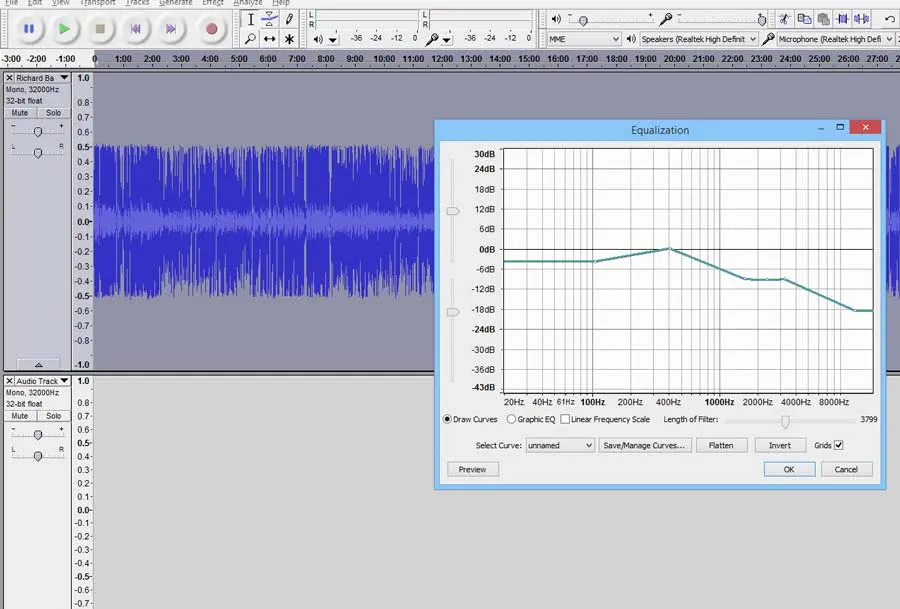
Fade-ins and fade-outs are as easy to add, and equalizer options let you set your treble and bass levels with fine precision.
If you want to mix in a back-beat you made in FL Studio or Cubase, or even another guitar line entirely, just export from your secondary software and import into Audacity.
With your new track lined up just right, giving the illusion that it was recorded simultaneously is as easy as mixing it down and applying a subtle reverb on the result.
Transpose songs
Transposition is often a challenge in music recording.
If you've laid down your guitar line in the key of B but your partner just emailed you a solo he recorded in C, you've got a problem.
However, the Change Pitch effect will do exactly what you need, without changing the speed of the song.
Options also exist to change the speed without changing pitch, or to change both, which will give you the infamous chipmunk effect.
If you don't have a lot of fancy pedals to make your guitar work sound like U2, not all is lost.
Audacity comes with familiar tools such as Echo, Tremolo, Reverb, Wahwah, and a truly disorienting Phaser .
Since the program is open-source, the community is constantly developing more plug-ins, and if you know what you're looking for, it's hard to imagine that someone hasn't made it available for download.
Exporting your tracks
So you've finished mastering your track and you want to post it to your website.
While Audacity doesn't support the licensed MP3 format initially, you can download the LAME Encoder (also free) to give you the import/export capabilities.
As always, don't export to MP3 until you're sure you're 100% finished .
Editing your file in WAV format will preserve your sound quality, though at the cost of hard disk space.
Why Audacity Could Be Useful To Improve Your Practice Sessions
A useful strategy to include in your practice sessions is to record yourself and listen to it later.
When you are focused on executing an exercise, a song or a passage in the most correct way possible, you don't have enough attention to spot mistakes or imperfection.
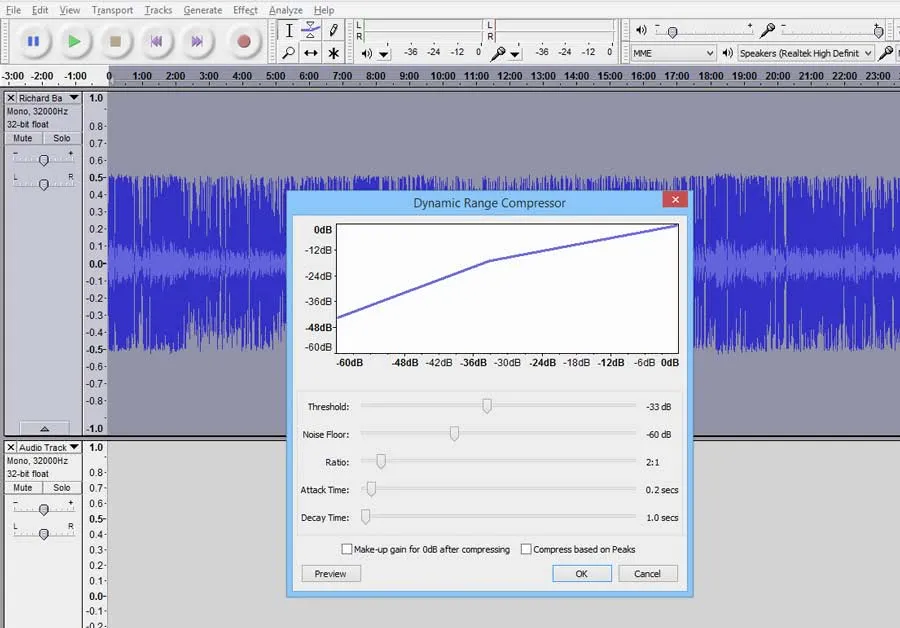
By using a tool like Audacity, you can record and listen, and even see on the waveform, if something requires to be addressed with proper further practice.
This works greatly with timing issues, dynamics inconsistencies, and mistakes in general.
Audacity: conclusions
If your basement studio doesn't have the soundproofing it needs, or your amplifier is older than you are, it's likely you'll benefit from knowing your way around Audacity.
Beyond its extensive library of effects, its precision editing tools give you the control to cut microseconds out of your song, or, with practice, splice music seamlessly.
It's like Photoshop for musicians (or better, Gimp , that is open source as well) – immensely powerful, fun to explore, but not difficult to use if you're just making a few edits here and there.
And your songs will sound like you spent money.
Useful links
- Go to Audacity homepage (for download, info, support)
FAQ
What is Audacity, and why is it a good choice for guitarists wanting to record?
Audacity is a free, powerful Digital Audio Workstation (DAW) and audio editor that allows guitarists to create professional-grade recordings without needing expensive software. It's recommended for its versatility and budget-friendly nature, making it accessible for home studio setups.
How do I connect my guitar to my computer to record using Audacity?
To record your guitar directly into Audacity with cleaner sound, you can use specialized hardware like IK Multimedia's StealthPlug or iRig dongles. These devices allow you to plug your guitar straight into your computer, often eliminating the need for an amp or microphone and providing access to associated software effects like AmpliTube.
Does Audacity offer tools to clean up unwanted noises in my guitar recordings?
Yes, Audacity includes a 'Click Removal tool' specifically designed to detect and soften sharp anomalies like clicks and pops in your waveform. This helps to eliminate unintended noises, leaving you with a smooth and clean guitar track.
Can I change the key or tempo of my guitar recordings using Audacity?
Absolutely. Audacity features a 'Change Pitch effect' that allows you to transpose your guitar recording to a different key without altering its speed. You also have options to change the speed independently without affecting the pitch, or to change both pitch and speed simultaneously for various creative or corrective purposes.
What kind of built-in effects and mixing options are available in Audacity for guitar?
Audacity comes with a variety of built-in effects useful for guitar, such as Echo, Tremolo, Reverb, Wahwah, and Phaser. For mixing, you can import other audio tracks, like drum beats or additional guitar lines, and layer them with your existing recording. You can then apply effects like reverb to blend everything seamlessly, giving the illusion of a simultaneous recording.
Why do I need an extra component to export my Audacity guitar recordings as MP3s?
Audacity does not initially support the licensed MP3 format. To enable MP3 import and export capabilities, you'll need to download and install the free LAME Encoder. It's important to complete all your editing in WAV format first to preserve sound quality, then export to MP3 only when your track is 100% finished.
How can recording my guitar practice with Audacity help me improve?
Recording your practice sessions with Audacity is a powerful way to improve. When you're focused on playing, it's hard to spot your own mistakes or inconsistencies. By listening back to your recordings and visually analyzing the waveform, you can objectively identify issues like timing problems, dynamic variations, or specific errors that require further practice, leading to more effective and targeted improvement.